Key takeaways
- AI-powered CRM integration is no longer optional infrastructure. Industry tracking puts CRM as the largest single category of enterprise software, with the global market crossing roughly $101–126 billion in 2026, and AI is now the primary axis of differentiation between platforms rather than a bolt-on feature.
- Adoption has moved past the early-adopter phase: independent surveys report that 83–86% of CRM users now run AI-enabled functionality, and 90% of buyers say they are more likely to choose software with AI capabilities built in.
- The gap that actually loses deals and support tickets is not the CRM itself. It is fragmentation — sales, support and marketing running on data that disagrees with itself because each tool was integrated on its own, at a different time, by a different vendor.
- CRM projects still fail at a striking rate (20–70% depending on the study), and the leading cause is not the software — it is poor adoption and weak integration with the rest of the stack, not a lack of AI features.
- The fix is a proper integration architecture: one customer data model, AI agents doing the enrichment and routing work, and humans kept firmly in the loop on anything that touches pricing, churn risk or a signed contract.
What "AI-powered CRM integration" actually means
AI-powered CRM integration is the practice of connecting a CRM platform (Salesforce, HubSpot, Zoho, Dynamics 365, or similar) to the rest of a company's systems — helpdesk, marketing automation, billing, product analytics, WhatsApp and email — through an architecture where AI agents actively clean, enrich, deduplicate and route the data flowing between them, rather than simply piping it from one system to another.
That distinction matters. A traditional CRM integration is a series of point-to-point syncs: a Zapier connector here, a native app there, a nightly CSV import somewhere else. Each connection works in isolation. None of them know the other exists. The result, in almost every mid-market company we've audited, is the same: three different definitions of "active customer," two different spellings of the same company name, and a sales rep working a lead that support closed as churned last week.
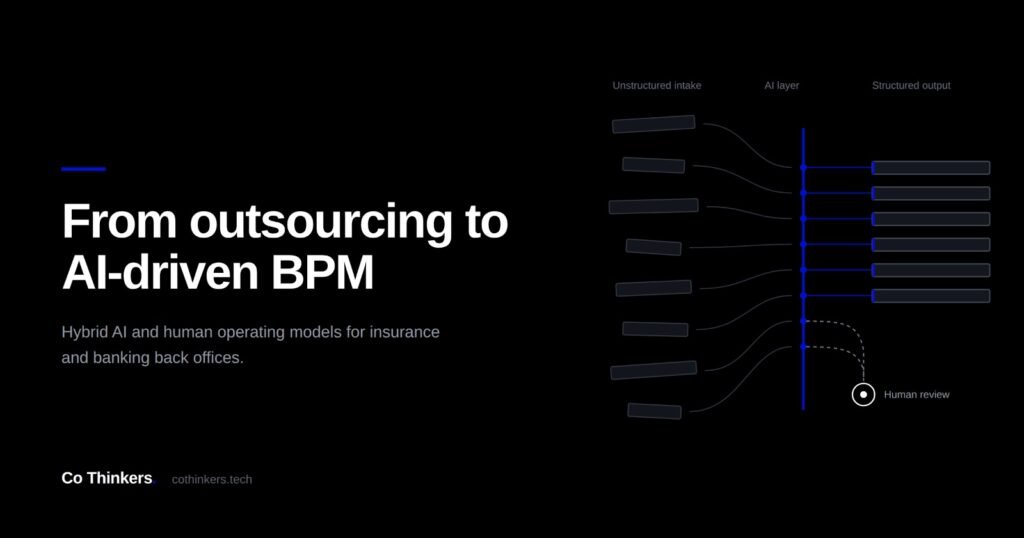
AI-driven integration adds a layer that traditional syncing cannot: it reads unstructured inputs (a support ticket, a call transcript, an inbound email), resolves identity across systems, and makes a judgment call about where that information belongs — before a human ever has to reconcile it manually.
Why this is the moment to fix it
Three trends have converged at the same time, and each one raises the cost of staying fragmented.
CRM has become the default operating layer, not an add-on
91% of companies with more than 10 employees now run a CRM, and adoption reaches 97% among enterprises with revenue above $1 billion — most of them running AI-augmented functionality already. When almost every company you compete with has a CRM, the differentiator shifts from "do we have one" to "does ours actually know what's happening in the business."
AI is now the reason companies buy or switch CRM platforms at all
67% of organizations report they are already using AI-enabled sales and marketing tools, and adding AI capability was cited as the top trigger for new software purchases in the past year. Vendors know this, which is why every major CRM platform has shipped a native AI layer in the last eighteen months — but a native AI feature inside the CRM is only as useful as the data reaching it, and most of that data still arrives fragmented from disconnected tools.
The failure mode has not changed — only the stakes have
Despite the AI wave, 20–70% of CRM implementations are still considered failures, and the leading cause remains poor user adoption, followed closely by lack of integration with the rest of the tool stack. Feeding an AI layer bad, disconnected data does not fix that problem. It automates it, at scale, faster than before.
Traditional CRM syncing vs AI-driven CRM integration
| Dimension | Traditional point-to-point sync | AI-driven CRM integration |
|---|---|---|
| Identity resolution | Manual dedupe, rule-based matching | AI matches records across systems using fuzzy identity signals |
| Data entry | Rep or agent keys it in manually | AI extracts from calls, emails and tickets and pre-fills the record |
| Lead and case routing | Static rules by territory or queue | AI scores and routes based on intent, urgency and account history |
| Cross-team visibility | Support, sales and marketing see different truths | One resolved customer record surfaced across every tool |
| Maintenance | Breaks silently when a field or API changes | Monitored pipelines with confidence scoring on every sync |
| Time to detect a bad sync | Weeks, usually found by an angry rep | Hours, flagged by anomaly detection |
High-value use cases across sales, support and marketing
1. Sales: lead enrichment and territory routing
Before: A form-fill or inbound email lands in the CRM with a name, an email address and nothing else. A rep spends ten minutes researching the company before deciding whether it is worth a call, and duplicate leads from the same account pile up in different reps' queues.
After: AI enriches the lead against company and contact data the moment it lands, matches it to any existing account or open opportunity, scores it against your ideal customer profile, and routes it to the right rep with the context already attached.
What to measure: lead-to-first-touch time, duplicate rate, speed-to-lead, rep time spent on manual research.
2. Support: ticket-to-CRM sync with case history
Before: A customer emails support about a billing issue. The support agent has no visibility into the sales conversation that closed the deal, the renewal date, or the fact that the same customer complained about the same issue three months ago.
After: AI links the ticket to the existing CRM record, surfaces the account's full history — deal terms, past tickets, health score — and flags the case to the account owner if the account is at renewal risk.
What to measure: first-response time, repeat-contact rate, escalations tied to accounts the account owner never saw.
3. Marketing: unified customer data for personalization
Before: Marketing automation runs off an email list that has not been reconciled with the CRM in months. Customers who already bought get prospecting emails. Churned accounts stay on the newsletter.
After: AI keeps marketing segments synced to live CRM status in near real time, so campaigns respect lifecycle stage, and personalization pulls from the same resolved customer record sales and support are looking at.
What to measure: list hygiene (bounce and unsubscribe rate), campaign-to-pipeline attribution accuracy, wasted send volume to disqualified contacts.
4. Renewals and churn: proactive signal surfacing
Before: A customer's usage drops, their tickets get more frequent, and nobody notices until the renewal conversation, when it is too late to fix anything.
After: AI combines product usage, support sentiment and CRM engagement into a single health score, and flags at-risk accounts to the customer success team weeks before renewal, with the specific signal that triggered the flag.
What to measure: net revenue retention, time between risk signal and human outreach, save rate on flagged accounts.
Building the integration architecture: what actually needs to be true
A CRM integration that survives contact with real usage needs four things in place, in this order.
- One customer identity model. Before any AI layer is useful, every system needs to agree on what defines "the same customer" — usually a combination of domain, account ID and contact email, with clear rules for what happens when they conflict.
- Bi-directional sync with conflict rules. Data needs to flow both ways between CRM, helpdesk and marketing automation, with an explicit rule for which system wins when two tools disagree about the same field.
- Confidence-scored AI enrichment. Every AI-suggested match or field update carries a confidence score; high-confidence updates apply automatically, low-confidence ones route to a human for a five-second confirmation instead of silently corrupting the record.
- A single source-of-truth dashboard. Sales, support and marketing leadership look at the same account and pipeline numbers, pulled from the same resolved data, instead of three spreadsheets that were each "true" as of a different Tuesday.
Request a CRM integration readiness check
A short review of how your CRM, helpdesk and marketing tools are connected today, and where AI-driven integration would pay back first.
Schedule a strategy session Talk to our teamA practical rollout sequence
- Step 1 — Audit what's already connected. Map every existing integration between your CRM and the rest of the stack, including the undocumented Zapier flows nobody remembers building.
- Step 2 — Pick the identity model and conflict rules. Decide, in writing, what defines a unique customer and which system is authoritative for which fields.
- Step 3 — Start with one high-friction workflow. Lead routing or support-ticket linking are usually the fastest wins because the pain is visible daily and the data volume is manageable.
- Step 4 — Add confidence thresholds and a review queue. Decide what AI is allowed to change automatically, and what needs a human glance first.
- Step 5 — Roll out the shared dashboard. Once sales, support and marketing are looking at the same numbers, expand the same architecture to the next workflow.
Frequently asked questions
What is AI-powered CRM integration?
It is the practice of connecting a CRM to the rest of a company's systems — support, marketing automation, billing and communication tools — using AI agents that resolve customer identity, enrich records and route data intelligently, instead of relying on static, point-to-point syncs that quietly drift out of agreement with each other.
Do I need to replace my CRM to get AI-driven integration?
Usually not. Most AI-driven integration work sits around the CRM you already have, connecting it more intelligently to the tools around it. Replacing a CRM is a separate, much larger decision that is rarely justified purely by integration problems.
Why do CRM projects still fail so often even with AI features available?
Because failure is driven by adoption and integration quality, not by the presence or absence of AI features. Studies put CRM project failure rates between 20% and 70%, with poor user adoption and weak integration with other tools as the leading causes — a native AI feature does not fix either problem on its own.
Which CRM workflow should we automate with AI first?
Start with the workflow generating the most manual reconciliation work today, most commonly lead enrichment and routing, or linking support tickets back to the CRM account record. Both are high-frequency, easy to baseline, and produce a visible result within weeks.
How is this different from CRM automation or workflow rules?
Traditional CRM automation follows static if-this-then-that rules on structured fields. AI-driven integration reads unstructured inputs — emails, call notes, tickets — extracts meaning from them, and makes judgment calls about identity and routing that static rules cannot handle.
What should stay under human control?
Anything that changes pricing, contract terms, or a churn/renewal decision should route through a human, even when AI confidence is high. AI should own enrichment, deduplication and routing; humans should own decisions with financial or relationship consequences.
Sources
- Fortune Business Insights / Grand View Research, CRM market size estimates, 2026
- HubSpot, State of Sales and AI in Marketing research, 2025–2026
- Salesforce, State of Sales research, 2026
- Capterra, 2026 Sales and Marketing Software Trends report
- Cyntexa / industry compilations, AI adoption in CRM statistics, 2026
This is general information on CRM and AI trends, not a benchmark guarantee for any specific business — validate figures against your own CRM data before using them in a customer-facing claim.
Co Thinkers is a technology and business operations partner helping companies connect CRM, ERP and AI systems to the way they actually work.